


WinRushGo Casino Mobile Version
Fans of interactive gambling increasingly prefer smartphones and tablets. WinRushGo Casino is fully optimised for portable devices running iOS and Android, providing continuous access to the features of the desktop website.
All features are built on the cross-platform HTML5 web standard, allowing the site to run reliably in popular mobile browsers without installing large software files.
Available Mobile Access Options
- Responsive mobile website: the primary access method, requiring no third-party software download.
- No native apps: the operator does not publish separate clients in the App Store or Google Play. Any third-party APK files offered online are unofficial, and downloading them is discouraged for security reasons.
- Home-screen shortcut: users can add a website icon to their phone’s home screen for one-tap access, much like a full web app.
How to Add a Shortcut to Your Smartphone
For easy access without typing the website address each time, use the browser’s built-in shortcut feature:
- On Apple devices (iPhone / iPad in Safari):
- Open winrushgo.com in Safari.
- Tap the system “Share” button (a square with an upward arrow) in the bottom toolbar.
- Select “Add to Home Screen” from the menu.
- Confirm the shortcut name and tap “Add”.
- On Android smartphones (Google Chrome / Samsung Internet):
- Open the official website in the Chrome mobile browser.
- Tap the menu icon (three vertical dots) in the top-right corner.
- Choose “Add to Home screen” or “Install shortcut”.
- Confirm to place the icon on your home screen.
Interface, Layout and Navigation
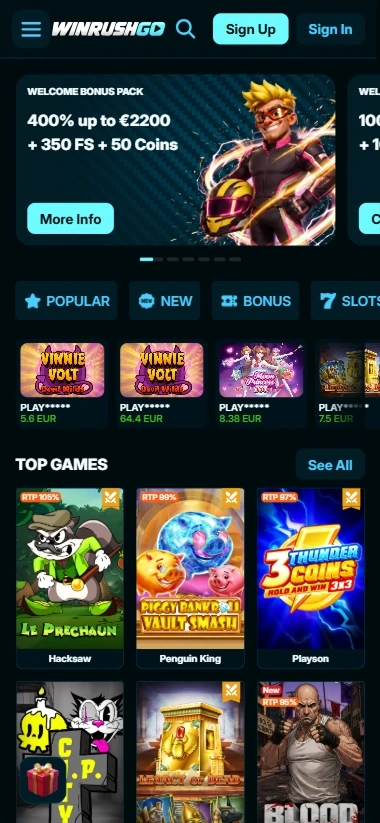
The mobile interface has been redesigned for comfortable one-handed use:
- Bottom navigation bar: quick access to five main sections — “Casino”, “Live Casino”, “Sport”, “Promo” and “Shop”.
- Top bar: buttons for “Log In”, “Sign Up” and direct access to “Deposit”.
- Slide-out side menu: links to language settings, responsible gambling rules, customer support and transaction history.
Games and Sports Betting on Smartphones
Mobile users have access to the full collection of 10,000+ titles:
- Slots run smoothly in both portrait and landscape screen orientations.
- Live dealer streams adjust video quality to the current internet connection speed to avoid buffering.
- The sportsbook supports quick single and accumulator slips, with odds recalculated instantly in real time.
Mobile Payments and Rewards
The mobile cashier retains all available methods, including cards, e-wallets and cryptocurrency accounts. Users can activate promo codes, join tournament races and request withdrawals directly from their smartphones.
Mobile Access Security
Mobile browser sessions are protected by end-to-end 256-bit SSL encryption. Financial and personal information is transmitted through secure encrypted channels, providing the same level of confidentiality as desktop access.
Conclusion
The WinRushGo Casino mobile website gives users complete freedom without being tied to a PC. No large apps need to be downloaded, saving device storage, while the ergonomic interface makes navigation and wagering straightforward and comfortable.